

The internet offers wonderful ways to connect with loved ones, discover new hobbies, and manage your daily life with ease. Yet, with all these benefits, a persistent concern often emerges: how do you stay safe from online trickery? Perhaps you have heard stories about people falling victim to clever schemes, and you worry about distinguishing genuine communications from deceptive ones. This concern is valid, and you are right to be cautious. Scammers constantly evolve their methods, making it challenging to spot their traps. However, with the right knowledge, you can navigate your online world confidently and securely.
While email is a common tool for fraudsters, it is also important to learn how to spot scams on social media to keep your social accounts secure.
Beyond email, it is also helpful to know how to recognize and avoid phone scams that might reach you throughout the day.
While email is common, many users also choose to use Zoom for video calls with family to stay in touch through a more personal medium.
One of the most common ways scammers try to reach you is through a scam email. These are fake emails or messages specifically designed to trick you. This tactic, often called phishing, aims to steal your personal information, money, or even install harmful software on your devices. These emails often look very convincing, mimicking messages from your bank, a government agency, or a familiar company. The good news is that by learning to recognize the telltale signs, you gain a powerful shield against these attempts. This guide empowers you with practical, actionable insights to help you identify and avoid scam emails, keeping your personal information and peace of mind safe.
Table of Contents
- Understanding Scam Emails: What Are They?
- The Anatomy of a Scam Email: What to Look For
- Red Flags in Sender Information: Who Is This, Really?
- Urgent and Threatening Language: The Scammer’s Tactic
- Suspicious Links and Attachments: Don’t Click Blindly
- Grammar, Spelling, and Generic Greetings: Signs of Email Fraud
- Unexpected Requests and Too-Good-To-Be-True Offers
- What to Do If You Spot a Scam Email: Your Action Plan
- Reporting Scam Emails and Getting Help
- Frequently Asked Questions

Understanding Scam Emails: What Are They?
A scam email is essentially a deceptive message sent with the intention of tricking you. Imagine a wolf in sheep’s clothing, but for your inbox. The term most commonly used for these kinds of deceptive emails is phishing. Phishing attacks involve scammers pretending to be someone trustworthy to trick you into revealing sensitive information. This could be your bank account number, social security number, passwords, or even credit card details. Their goal is usually to steal your money, your identity, or gain access to your computer to install harmful software called malware. Malware is bad software that can damage your device, spy on your activities, or steal your information without your knowledge.
Staying safe involves not just spotting scams, but also understanding online privacy and what information you share with the sites you visit.
Learning how to protect your personal information online is a vital skill for anyone using the internet today.
Scammers often target individuals because they know that personal interactions can feel more trustworthy. They meticulously craft emails that look incredibly similar to those you might receive from your bank, the Social Security Administration, your doctor’s office, or even a popular online shopping site. They count on your trust in these organizations to bypass your usual caution. Remember, you are not alone in facing these attempts. Millions of phishing emails are sent every day, and even tech-savvy individuals can find themselves facing a convincing attempt. The important step is to learn how to identify scam emails before they can cause any harm.
The Anatomy of a Scam Email: What to Look For
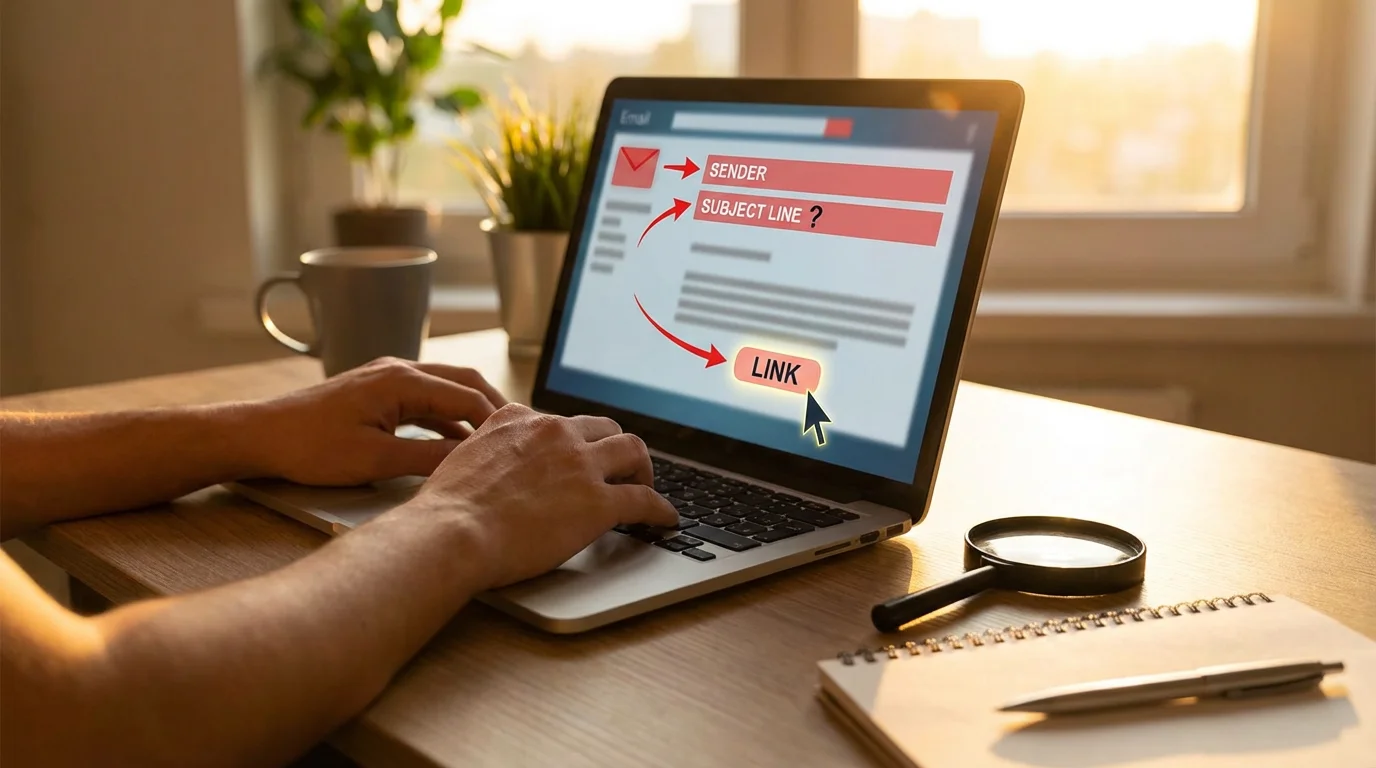
To protect yourself from email scams, understanding the common features these emails share is crucial. While scammers constantly refine their tactics, many fundamental elements remain consistent. Learning to dissect a suspicious email helps you identify its true nature, revealing the deception beneath a polished surface. Think of it like learning to spot a counterfeit bill, where small details reveal its inauthenticity. Here, we break down the typical components you will find in a scam email and highlight what to scrutinize.
The diagram above illustrates how scammers piece together their deceptive messages. You will notice several common elements designed to trick you. Let’s delve deeper into each of these red flags, giving you the specific tools to evaluate any email that lands in your inbox.

Red Flags in Sender Information: Who Is This, Really?
The first place to look when you receive an email is the sender’s information. Scammers often try to impersonate legitimate organizations, but they usually cannot perfectly replicate the sender’s actual email address. This is a primary indicator of a scam email.
Since many of these emails mimic financial institutions, you might also want to review how to use mobile banking apps safely to protect your finances.
This type of impersonation is also common in the grandparent scam, where someone pretends to be a relative in distress.
- Mismatched Email Addresses: The display name might say “Bank of America,” but the actual email address, when you click or hover over the sender’s name, reveals something like “bankofamerica.support@weirdmail.ru” or “noreply@servicenotice.com.” A legitimate organization always uses its official domain, such as “customer-service@bankofamerica.com” or “support@apple.com.” Pay close attention to extra words, numbers, or unusual domain extensions like .ru, .cn, or strange combinations like .com.co.
- Generic Sender Names: If an email purports to be from a major company but simply lists the sender as “Account Services” or “Customer Support” without a specific company name attached to the email address, it is a significant warning sign. Your bank or a reputable service provider typically includes its name clearly.
- Impersonation of Trusted Entities: Scammers frequently pretend to be government agencies like the IRS, the Social Security Administration, Medicare, or well-known companies like Amazon, Apple, or Microsoft. They also sometimes impersonate utility companies, your internet provider, or even a family member or friend. Always remember that government agencies rarely initiate contact via email for sensitive matters, and they will never demand immediate payment via gift cards or wire transfers.
What to do: If the sender’s email address looks suspicious, do not interact with the email. Instead, if you suspect there might be a legitimate issue, go directly to the official website of the organization (by typing the address yourself into your web browser, not by clicking any links in the email) or call them using a phone number you know to be official, perhaps from a statement or their verified website.
Expert Safety Advice: Always double-check the sender’s full email address. A sophisticated scammer might make the display name look correct, but the underlying email address often gives them away. Take that extra moment to inspect it.

Urgent and Threatening Language: The Scammer’s Tactic
One of the most powerful tools in a scammer’s arsenal is creating a sense of urgency or fear. They want you to panic and react without thinking, which is why their emails often contain alarming or threatening language.
When checking your inbox away from home, remember that knowing how to safely use public Wi-Fi is a key part of your overall security strategy.
Similar tactics are often used in tech support scams, where callers try to frighten you into paying for unnecessary repairs.
- Pressure to Act Immediately: Phrases like “Your account will be suspended within 24 hours,” “Urgent action required,” “Click here to avoid penalty,” or “Your password has expired, update now!” are classic scam tactics. Legitimate organizations understand that you need time to review information and act.
- Threats of Consequences: Scammers might threaten legal action, fines, arrest, or the loss of access to important services if you do not comply immediately. For example, an email claiming to be from the IRS might state, “Your tax payment is overdue; click here now or face arrest!” The IRS does not initiate contact about taxes this way.
- Requests for Immediate Payment: Any email demanding immediate payment through unusual methods, such as gift cards, wire transfers, or cryptocurrency, is almost certainly a scam. Reputable companies and government agencies do not ask for payment in these ways.
What to do: Do not let urgent or threatening language push you into hasty action. Instead, pause, take a deep breath, and critically evaluate the message. If you are concerned, independently contact the organization directly using their official phone number or website to verify the claim. Do not use any contact information provided in the suspicious email.

Suspicious Links and Attachments: Don’t Click Blindly
Clicking on a malicious link or opening a harmful attachment is often the critical step where a scam email can compromise your security. These elements are designed to either direct you to a fake website that steals your information or to install malware on your device.
If you ever find yourself on a suspicious site after a link click, learning how to delete your browsing history can help clear your trail.
To further secure your device, you should also take steps to keep your computer safe from viruses and other malicious software.
- Hover Before You Click: Most email programs allow you to see the true destination of a link without clicking it. Position your mouse cursor over the link (do not click), and a small box will appear, showing the full web address. If this address does not match the expected official website of the company or looks strangely abbreviated, it is a clear warning sign. For instance, a link claiming to go to “amazon.com” but revealing “tinyurl.com/fakesite” upon hovering is definitively a scam.
- Links That Don’t Match: A legitimate email from your bank will always link back to your bank’s official website. If you see a link that points to a different, unfamiliar domain, even if it has the company’s name in it, treat it with extreme caution. Scammers often register similar-sounding domain names to deceive you.
- Unexpected Attachments: Be extremely wary of unexpected attachments, especially if they are from an unknown sender or if the email is otherwise suspicious. Common malicious file types include .zip, .exe, .js, .docm, or other unusual extensions. Even seemingly harmless documents like PDFs or Word files can sometimes contain hidden malware.
What to do: Never click on suspicious links or open unexpected attachments. If an email prompts you to view an invoice or document you were not expecting, independently verify its legitimacy by contacting the sender through a trusted method (e.g., a phone number you know is correct). Deleting the email is always the safest option if you have any doubts about a link or attachment.

Grammar, Spelling, and Generic Greetings: Signs of Email Fraud
While some email fraud can be very sophisticated, many scam emails contain noticeable errors that legitimate organizations would rarely make. These seemingly small details are often strong indicators of deception.
- Poor Grammar and Spelling: Professional organizations employ proofreaders and have strict communication standards. Emails riddled with grammatical errors, misspelled words, or awkward phrasing are a significant red flag. While anyone can make a typo, a pattern of mistakes points to a non-professional source.
- Generic Greetings: Legitimate companies or government agencies almost always address you by your actual name in emails, especially for important communications regarding your account or personal information. If an email begins with “Dear Valued Customer,” “Dear Account Holder,” or a simple “Hello,” without using your name, be cautious. It often means the scammer does not know your name and is sending out mass emails.
- Inconsistent Branding and Logos: Pay attention to the overall look of the email. Does the logo look pixelated or slightly off? Are the colors or fonts inconsistent with the company’s usual branding? Scammers often poorly replicate official branding, making their emails look slightly “cheap” or unprofessional upon closer inspection.
What to do: Treat any email with significant grammar or spelling errors, generic greetings, or questionable branding as suspicious. These are common characteristics of how to identify scam emails. If you receive such an email and it claims to be from an organization you deal with, contact that organization directly through official channels to verify the information.

Unexpected Requests and Too-Good-To-Be-True Offers
Scammers also prey on human kindness, curiosity, or the desire for a good deal. They craft elaborate stories or irresistible offers to entice you into their trap.
Be equally cautious with shopping-related messages, and always use official platforms when ordering groceries online to ensure your payment info stays secure.
- Requests for Gift Cards, Wire Transfers, or Cryptocurrency: Legitimate businesses and government agencies will never ask you to pay them with gift cards, wire transfers, or cryptocurrency. These payment methods are difficult to trace, making them ideal for scammers. If anyone demands payment through these means, it is a definitive scam.
- Notifications About Winning Lotteries or Contests You Did Not Enter: Receiving an email informing you that you have won a large sum of money or a luxurious prize in a lottery you never entered is a classic scam. These typically ask for an “advance fee” or your bank details to “process” your winnings, which will never materialize.
- Offers That Seem Unbelievable: If an offer sounds too good to be true, it almost certainly is. This could be an inheritance from a distant relative you never knew, an unbelievably low-price deal on a popular item, or an opportunity to make quick money with little effort. These are designed to lower your guard and encourage impulsive actions. Remember the suspicious rule: if it looks too good to be true, it probably is.
What to do: Always be skeptical of unexpected requests for money or offers that promise significant rewards with little effort. Do not engage with these emails. Instead, delete them immediately. Your common sense is your best defense against these enticing but dangerous ploys.
What to Do If You Spot a Scam Email: Your Action Plan
Recognizing a scam email is a vital step, but knowing what to do next is equally important for your safety and to protect yourself from email scams. Following these steps helps prevent further harm and contributes to a safer online environment for everyone.
- Do Not Reply: Replying to a scam email confirms to the scammer that your email address is active. This can lead to you receiving even more scam attempts. Simply do not engage.
- Do Not Click Links or Open Attachments: This cannot be stressed enough. Clicking a malicious link can lead you to a fake website designed to steal your login credentials, while opening an attachment can install malware on your device.
- Delete the Email: Once you have identified an email as a scam, delete it from your inbox. This helps declutter your email and removes the temptation to accidentally interact with it later.
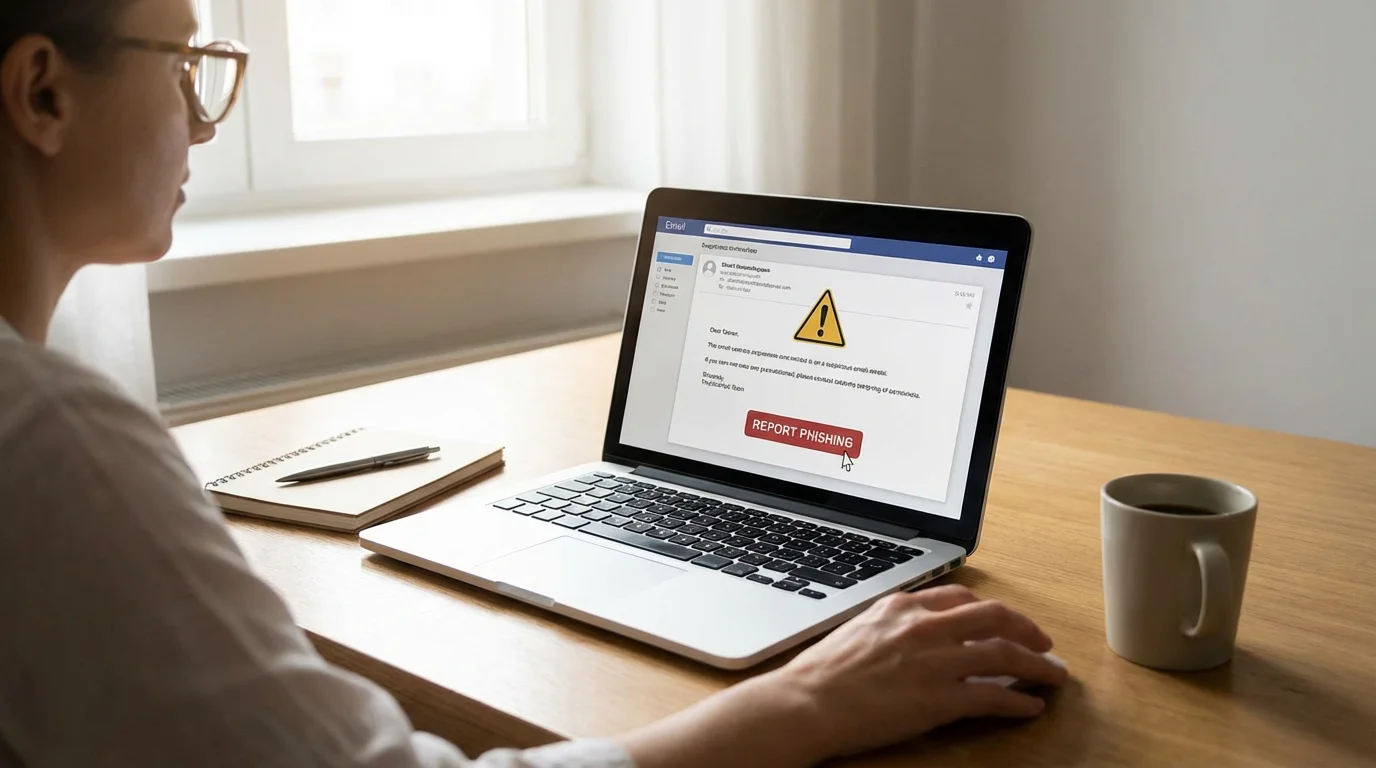
- Report It: You can often report phishing emails directly from your email client (look for a “Report Phishing” or “Junk” button). You can also forward the scam email to the Anti-Phishing Working Group at reportphishing@apwg.org. After forwarding, delete the email.
- Verify Independently: If you are unsure whether an email is a scam, and it claims to be from an organization you know (like your bank or a government agency), contact that organization directly. Use a phone number from their official website or a statement you already have, or type their web address directly into your browser. Never use contact information provided in the suspicious email itself.
Reassurance: Scammers are incredibly clever and sophisticated in their methods. Falling for a trick does not make you foolish. It means you encountered a very skilled deceiver. The important part is learning from the experience and empowering yourself with knowledge to stay safe moving forward.
Reporting Scam Emails and Getting Help
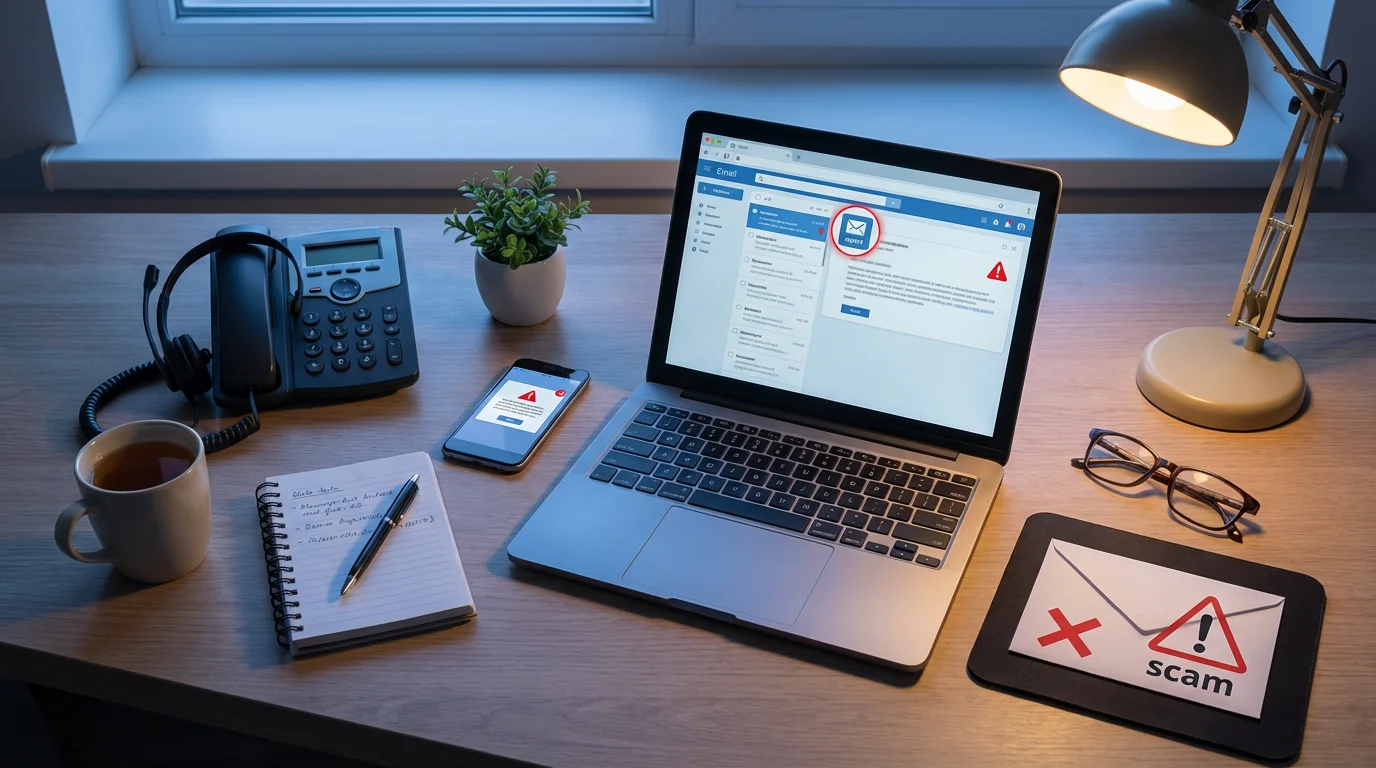
Reporting email fraud is crucial. Your report helps authorities track down scammers, understand their tactics, and prevent others from becoming victims. Even if you did not fall for the scam, your information is valuable.
To further improve your digital literacy, you might find it helpful to review our guide on how to send emails using Gmail to better understand its security features.
- Federal Trade Commission (FTC): The FTC is the primary agency for collecting scam reports. You can report scams to the FTC at consumer.ftc.gov or by calling 1-877-FTC-HELP. Reporting to the FTC helps them investigate and pursue legal action against scammers.
- FBI Internet Crime Complaint Center (IC3): If you have lost money or believe you have been a victim of cybercrime, file a report with the FBI’s Internet Crime Complaint Center at ic3.gov. This federal agency focuses on cybercrime investigations.
- AARP Fraud Watch Network: The AARP offers excellent resources and support for older adults regarding scams. Visit the AARP Fraud Watch Network for alerts, tips, and a helpline.
- Trusted Family or Friends: Do not hesitate to involve a trusted family member or friend. They can provide an objective second opinion on a suspicious email or help you navigate the reporting process. Having a support system is invaluable.
By reporting scams, you contribute to a stronger defense against these criminals. You help law enforcement agencies connect the dots and protect countless others from similar schemes.
Frequently Asked Questions
Here are answers to common questions about scam emails and online safety, designed to further empower you.
Q: What if I already clicked a suspicious link or shared information?
A: If you clicked a suspicious link or, worse, entered personal information on a fake website, act quickly. First, change any passwords you might have entered on that site immediately, especially if you use the same password for multiple accounts. Next, monitor your bank and credit card statements for any unusual activity. Run a full scan for malware on your computer using reputable antivirus software. Finally, contact your bank or credit card company to inform them of a potential breach. Report the incident to the FTC at consumer.ftc.gov.
Q: How do I know if a call is really from my bank or a government agency?
A: Scammers often follow up emails with phone calls to continue their deception. If you receive a call claiming to be from your bank, the IRS, or another official entity and they ask for sensitive information or demand immediate action, hang up. Do not trust the caller ID, as it can be faked. Then, call the organization back using a phone number you know is legitimate, such as the one on your bank card, an official statement, or their verified website. Never use a number provided by the caller.
Q: Can scam emails install malware just by opening them?
A: Generally, simply opening an email in your inbox is not enough for malware to install itself, as most modern email programs have security features to prevent this. The primary risk comes from clicking on malicious links or opening suspicious attachments within the email. However, very rare and sophisticated attacks can sometimes exploit vulnerabilities in email software. The safest practice is to delete any suspicious email without opening it if you can identify it from the sender or subject line alone.
Q: Should I respond to scam emails to tell them off or try to get information?
A: No, you should never respond to a scam email. Engaging with scammers, even to express anger or to try and outsmart them, confirms that your email address is active and that a real person is on the other end. This can lead to an increase in spam and more targeted scam attempts against you. The best approach is always to simply delete and report the email without any interaction.
Q: What is two-factor authentication and how does it protect me?
A: Two-factor authentication (often called 2FA) is an extra security step that adds a second layer of verification to your online accounts. Besides your password, it requires a second piece of information to prove your identity, like a code sent to your phone, a fingerprint scan, or a confirmation through an authenticator app. This makes it much harder for scammers to access your accounts even if they somehow manage to steal your password. Even if a scammer gets your password through phishing, they still cannot get into your account without that second verification step. Enable 2FA on all your important accounts, such as email, banking, and social media.
Disclaimer: This article provides general information about online safety and is not a substitute for professional advice. If you believe you’ve been a victim of fraud, contact your bank immediately and report the incident to the FTC at ReportFraud.ftc.gov or call 1-877-382-4357. If you’ve lost money, also file a report with your local police.
In addition to avoiding malicious attachments, knowing how to use Google Photos to store and organize pictures can help you keep your precious memories safe in the cloud.







Leave a Reply