This guide is for one situation. You are 67, you froze your credit at Equifax, Experian, and TransUnion after a data breach letter, and Login.gov now says it cannot verify you for your Social Security account.
While handling official notices, it also helps to learn how to spot fake government mail about benefits so you can confirm that any correspondence you receive is authentic.
You sign in on a Windows 11 laptop. Your smartphone is on a family plan in an adult child’s name, and your old Social Security username no longer works on its own.
Our recommendation is to lift all three freezes for one day only, starting the morning you verify. The freeze matters only while Login.gov checks your records, so a longer window adds risk without helping.
Lifting and restoring a freeze is free under federal law. The step that stalls many readers is signing in to each bureau, so prepare that first.
In this guide7 sections
Why Your Credit Freeze Blocks Login.gov
Login.gov confirms your name, address, birth date, and Social Security number against outside identity records. When a freeze blocks those records, the check can fail even if every detail you typed is correct.
If you are concerned that unusual browser behavior or suspicious redirects occurred before this check, learn how to tell if your computer has been hacked to make sure your device is clean.
A freeze tells a credit bureau not to release your file without your permission. That stops strangers opening accounts in your name, and it also stops a legitimate check you started yourself.
Login.gov does not tell you which bureau’s records it reads. Lifting just one freeze is therefore a gamble: if the check reads a file you left frozen, you fail again and use up an attempt.
Attempts are limited. After repeated failures, Login.gov makes you wait several hours and shows on screen when you can try again.
The FTC’s identity theft resource page explains freezes in plain terms. Use it to double-check that you are on genuine bureau sites.

How to Temporarily Lift Your Credit Freeze
Each bureau makes you prove who you are before it lifts anything. Older freezes placed by phone or mail often came with a PIN on a confirmation letter; newer ones use an online account and password.
When typing sensitive credentials on a mobile device around others, knowing how to hide passwords while typing on your phone keeps your bureau PINs shielded from view.
Find all three sign-ins the day before you verify. If one is lost, recovering it can take longer than the lift itself, and that is the real bottleneck.
| Bureau | Type into your browser | What it asks for | Can you set an end date? | Cost |
|---|---|---|---|---|
| Equifax | equifax.com | Account sign-in, or PIN from an older freeze | Yes, with a temporary lift | $0 |
| Experian | experian.com | Account sign-in, or PIN from an older freeze | Yes, with a temporary lift | $0 |
| TransUnion | transunion.com | Account sign-in, or PIN from an older freeze | Yes, with a temporary lift | $0 |
Then, on each bureau’s site:
- Type the address yourself. Do not follow an email link or a search ad.
- Find the security freeze area. The wording varies by bureau and changes often.
- Sign in or enter your PIN.
- Choose the temporary lift, not “remove” or “delete.”
- Set the start as today and the end as the same time tomorrow, then confirm.
- Write down any confirmation number shown.
A scheduled lift relocks itself. A removed freeze stays off until you remember to put it back, which is easy to forget once the Social Security account works.
Prefer the phone? Each bureau lists an automated freeze line on its website and on the letters it mailed you.
Expect prompts for your Social Security number and PIN; menu wording varies.
Step-by-Step: Verifying Your Identity on Login.gov
First, make the laptop easier to read. In Windows 11, open Settings > Accessibility > Text size, or press the Windows logo key and the plus sign (+) to start Magnifier.
Before typing sensitive personal records into your browser, consider reviewing how to keep your computer safe from viruses to ensure your laptop remains secure.
The Microsoft Windows accessibility and display features page covers other options. Here is our reader’s whole process, end to end.
- Monday evening: gather the three bureau sign-ins and your driver’s license. Charge the phone.
- Tuesday, 9:00 AM: lift all three freezes, ending Wednesday at 9:00 AM.
- 9:30 AM: on the laptop, go to ssa.gov, choose to sign in, and pick Sign in with Login.gov. Create or sign in to your Login.gov account.
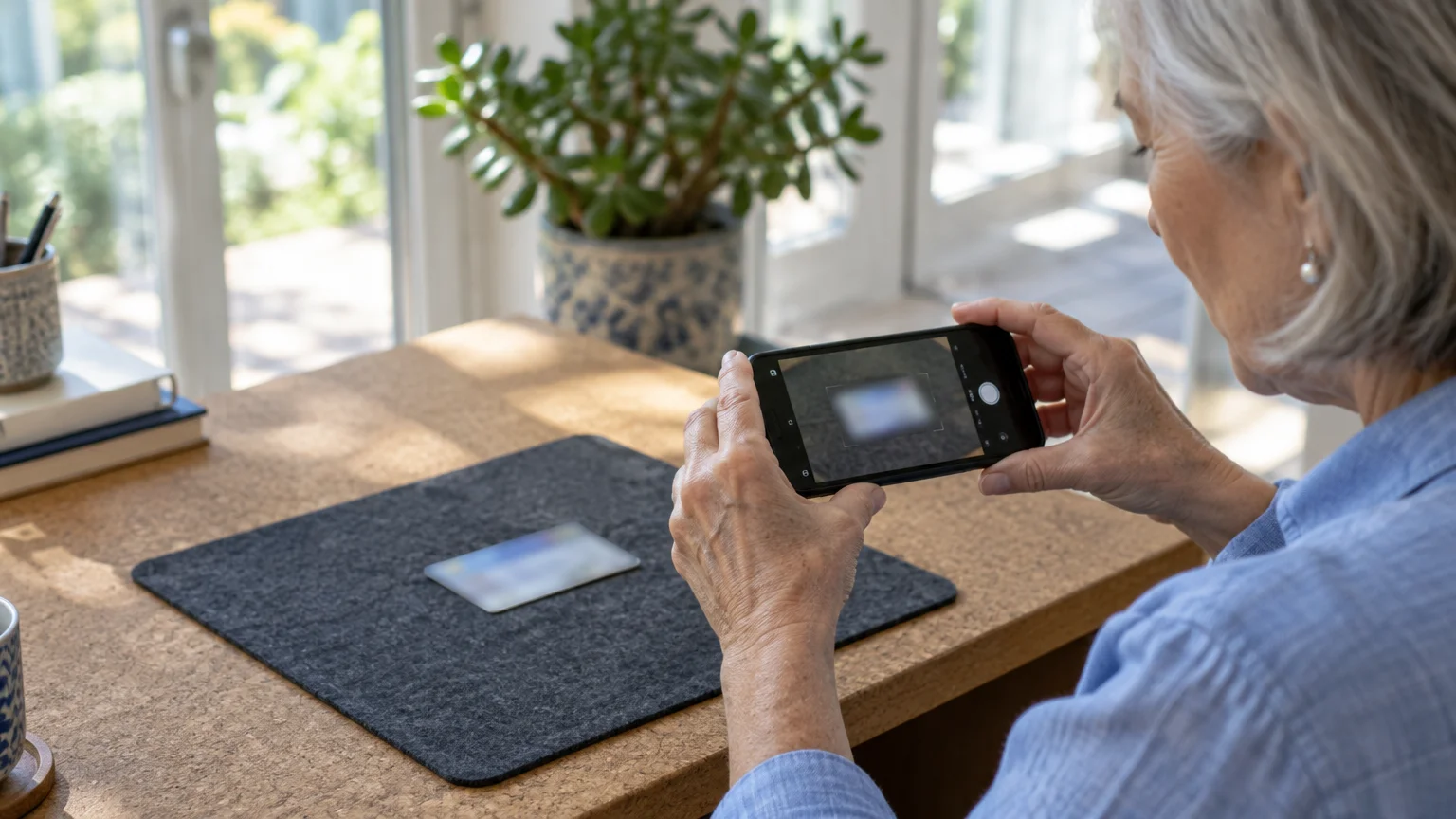
- When asked to verify your identity, let Login.gov send a link to your phone. A laptop webcam cannot take the ID photos.
- Photograph the license front and back on a plain, dark surface, away from lamp glare.
- Back on the laptop, enter your Social Security number. Check that the name and address match your license before continuing.
- The phone check comes next. The line is in the adult child’s name, so it will not match; choose to verify by mail instead.
- Re-enter your password to finish. The letter typically arrives in 5 to 10 days.
- Wednesday, 9:00 AM: all three freezes relock on their own.
- When the letter arrives, sign in and enter its code. The letter shows how long the code works.
Notice what the letter does not need: open credit files. The record check already passed on Tuesday, so the week of waiting happens with your freezes back on.
If your phone line is in your own name, step 7 passes immediately. Login.gov needs a U.S. mailing address either way, and button wording may differ slightly from these descriptions.

Verification Pathways Compared
If the online route keeps failing, there are three other routes. For our reader, the deciding questions are whether a freeze lift is needed and whether a phone camera is involved.
| Route | Where you do it | What you bring | Freeze lift needed? | Phone camera needed? | Cost |
|---|---|---|---|---|---|
| Login.gov online | ssa.gov, then Login.gov | Driver’s license, state ID, or U.S. passport | Yes, if frozen | Yes | $0 |
| Login.gov at a Post Office | Participating Post Office, after starting online | Barcode email plus physical license or state ID | Possibly; you still enter details online first | No | $0 |
| ID.me | ssa.gov, then ID.me | License, state ID, or passport | Possibly; a video call with an agent is offered if the self-check fails | Phone or computer camera | $0 |
| SSA field office | Your local office | Government photo ID; call ahead to ask what else | No | No | $0 |
At the Post Office, passports and mobile IDs are not accepted, so bring the physical card. You have 7 days from the barcode email to visit.

What to Do If You Have an SSA Electronic Access Block
If verification still fails with all three freezes lifted, check whether you once placed an Electronic Access Block with Social Security. It stops anyone, including you, from reaching your record online or by phone.
No online service can get past that block. Call Social Security at 1-800-772-1213 or visit your field office to remove it.
The Login.gov support line, (844) 875-6446, can answer questions but cannot override failed identity checks or shorten a lockout.

Spotting Fake Login.gov Portals and Phishing Calls
A freeze lift is exactly the moment scammers wait for. If anyone calls, texts, or emails offering to “help unfreeze” your credit or “restore” your account, hang up and use numbers you looked up yourself.
Never let an unverified caller take control of your screen, and review our tips on how to give remote access to your computer for tech support safely only when you initiate contact with a reputable provider.
If you suspect you may have already revealed private details during a suspicious call or message, review our guide on what to do if you gave your Social Security number right away.
Real Login.gov pages end in login.gov, and Social Security’s end in ssa.gov. Type those addresses rather than following a message.
Social Security will never:
- Demand payment by gift card, wire transfer, or cryptocurrency.
- Threaten to suspend your Social Security number or have you arrested.
- Promise higher benefits in exchange for a fee.
See the FTC guide on avoiding imposter scams and the SSA scam prevention portal to report suspicious contact.
Once you are in, keep the extra sign-in step Login.gov set up. The CISA guide to turning on multifactor authentication explains why a second code protects you if a password leaks.
Frequently Asked Questions
Do I really need to lift all three freezes?
Yes, if you want one clean attempt. Login.gov does not say which records it checks, and a single frozen file can fail you again.
Is there a fee to thaw and then refreeze my credit?
No. Under federal law, Equifax, Experian, and TransUnion cannot charge to freeze, temporarily lift, or refreeze your credit.
How long do I have to finish verification at the Post Office?
You have 7 days from the date Login.gov emails your barcode. After that, the request expires and you start again.
Login.gov locked me out after several tries. What now?
Wait until the time shown on screen, then try again. Support staff cannot lift the lockout early.
Note: Menus and button names change with software updates. These steps were written for current versions as of 2026; if a screen looks different on your device, the maker’s support page linked above has the latest wording.
ClearTechGuide is independent and is not affiliated with Apple, Google, Microsoft, Amazon or any other company mentioned.