This guide is for one situation: you are in your 70s, wear bifocals, and join a weekly evening video call with your grandchildren from a Windows 11 laptop on the dining table.
The camera looks up at your chin. The clip-on ring light someone suggested puts a bright circle in each lens, right where your eyes should be.
The fix: raise the laptop until the lens meets the bridge of your nose, and swap the ring light for a desk lamp aimed at a white wall.
In this guide5 sections

Why a Ring Light Is the Wrong Fix for Bifocals
Most webcam advice puts a ring light in front of your face. For a glasses wearer, that is the spot most likely to cause glare.
Beyond reflections on your eyeglasses, taking steps to stop laptop screen glare can prevent ambient room light from washing out your display.
Eyeglass lenses act like weak mirrors: light bounces off at the angle it arrives, so a light beside the camera reflects straight back into it.
A ring light surrounds the lens and a clip-on panel hooks on beside it, so both sit on the camera’s own line of sight.
Bifocals make it worse. Each time you tip your chin to read through the lower segment, your lenses tilt and a reflection you had nudged aside slides back.
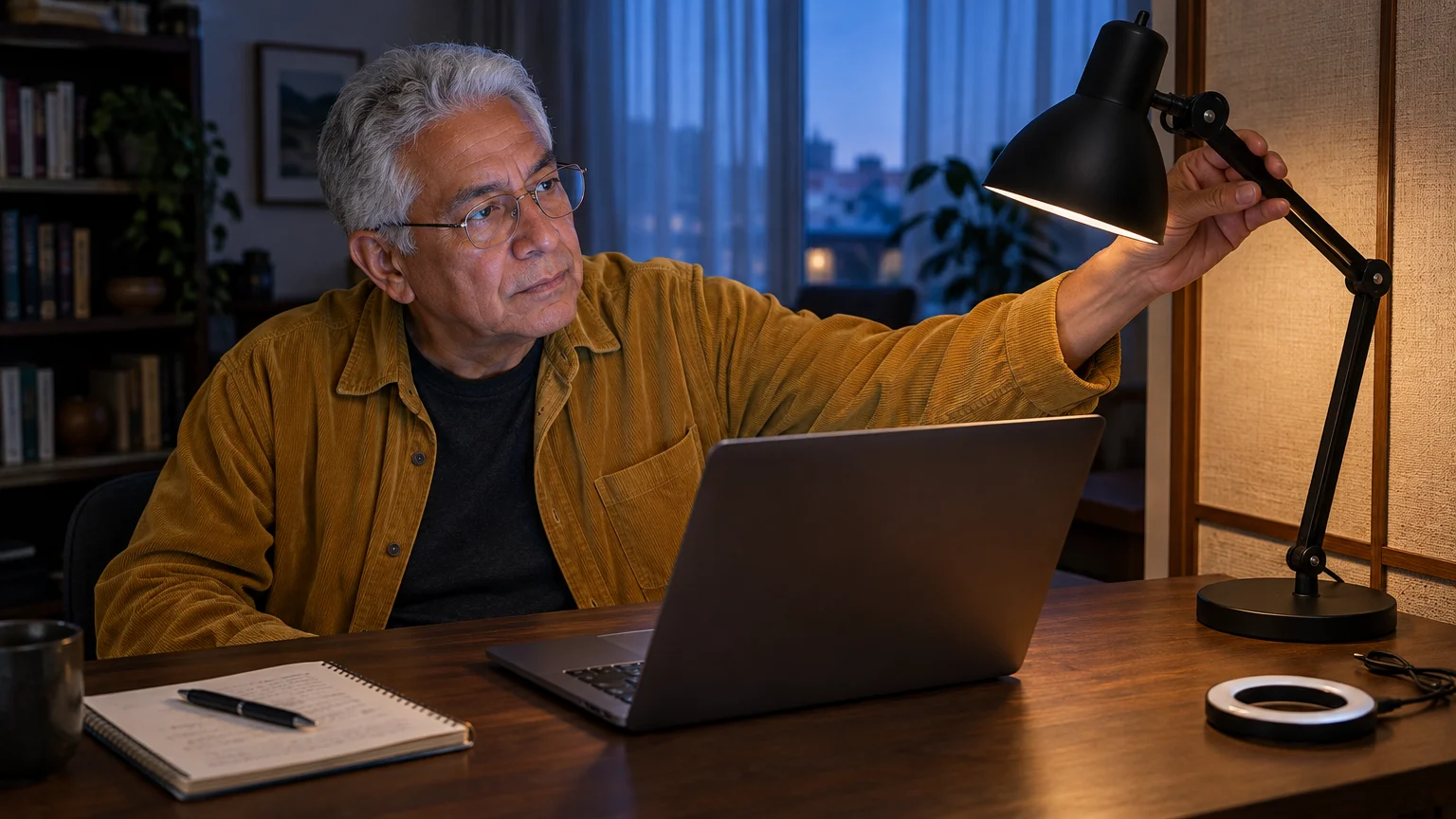
A desk lamp turned toward a white wall works the other way. The wall becomes a broad, soft light off to one side, so any reflection is faint and lands away from the camera.
So a soft light you already own, placed off the camera’s line of sight, beats a bright light you bought and placed on it.
An anti-reflective coating reduces reflections but does not remove them, so where the light sits still matters.
Raise the Camera to Your Nose Bridge
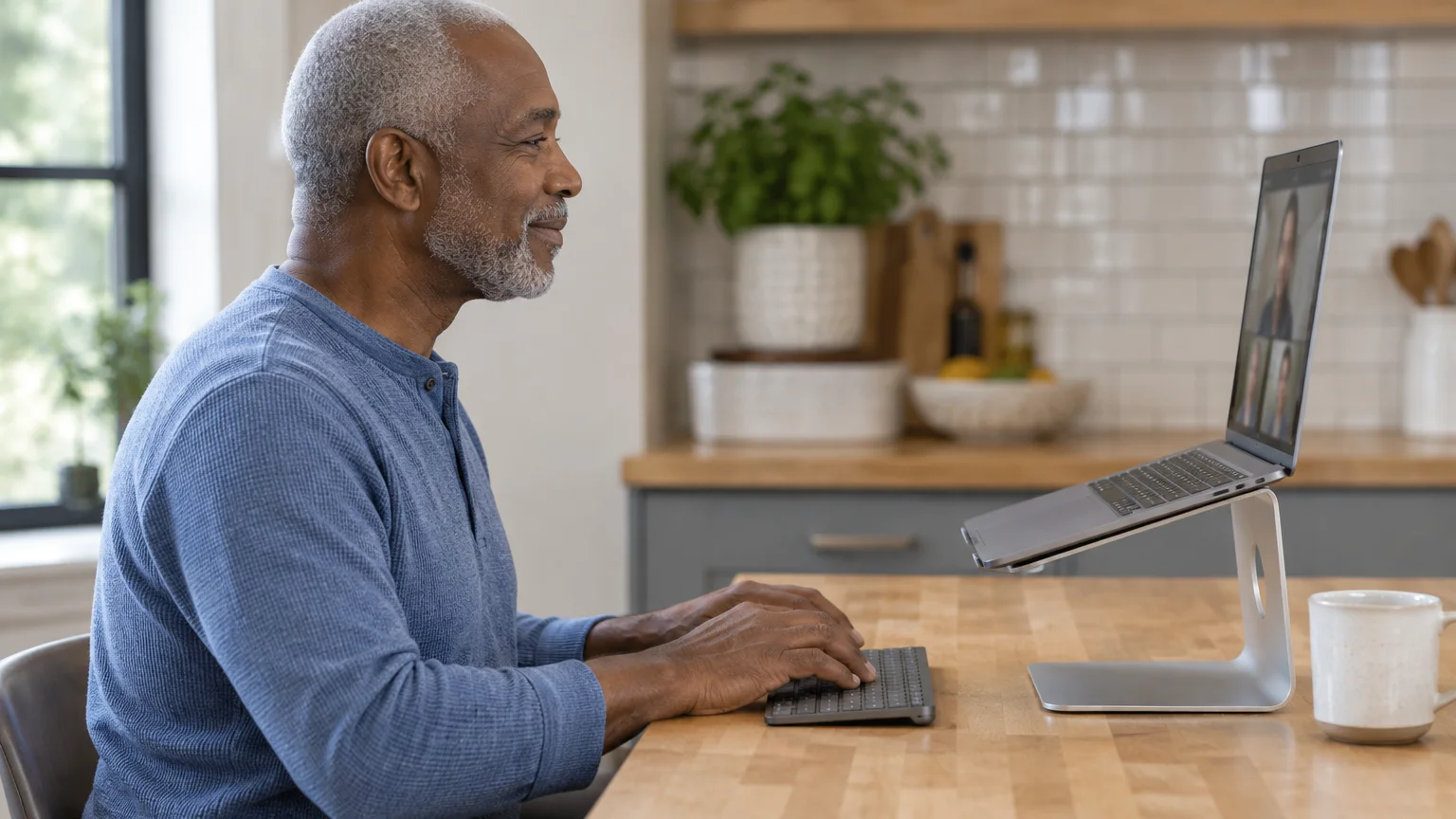
The upward angle is the other half. On a dining table the lens sits below your face, so it sees your chin and the ceiling light above.
If you ever switch to an iPad or Android device instead of a computer, using a sturdy tablet stand for comfortable video calls solves the same low-angle dilemma.
Tilting the screen back only shows more ceiling; you have to lift the whole laptop.
Aim the lens at the bridge of your nose, not your pupils. Your head stays level, and you can still glance down through the reading segment.
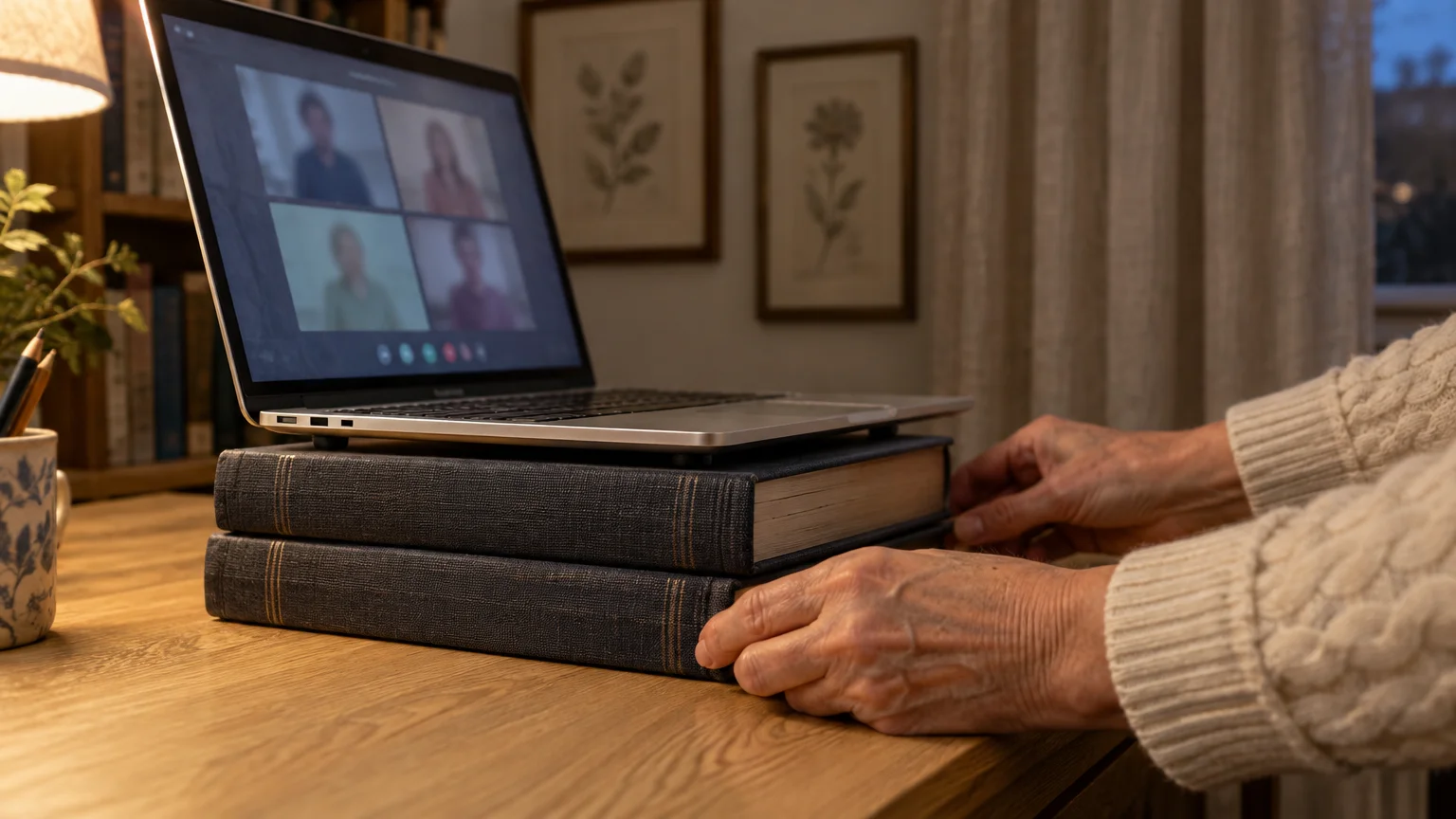
Hardcover books wider than the laptop base make a free, steady riser; a one-piece aluminum stand also works. Skip magazines or boxes that can slide.
Don’t type on the raised keyboard; it bends your wrists upward. A plug-in or wireless keyboard flat on the table keeps your arms relaxed.
If text looks small from farther back, on Windows 11 go to Settings > Accessibility > Text size, drag the slider, and click Apply. The official Microsoft Windows support documentation also explains display scaling.
On a Mac, System Settings > Accessibility > Display covers text and pointer size, as described in the Apple Mac User Guide.
Compare Your Lighting Options
Check every row at your own table tonight: open the camera preview, try each light, and watch your lenses on screen.
While testing your lights and camera, reviewing how to stop accidentally starting video calls will ensure you don’t unintentionally ring contacts before you are ready.
| Light | Where it sits | What your glasses show | If it glares | Already in most homes? |
|---|---|---|---|---|
| Clip-on ring light | Around the lens | A bright ring in the center of each lens | Move it off the screen | No, a purchase |
| Clip-on LED panel | Screen edge beside the lens | A bright bar that can cross the bifocal line | Move it off the screen | No, a purchase |
| Desk lamp facing you | In front of you near the screen | A sharp hot spot | Slide it well to one side | Usually |
| Desk lamp bounced off a white wall | Beside you, shade turned to the wall | A faint, soft patch off to one side | Move it farther aside or nearer the wall | Usually |
| Window daylight | Behind the laptop, facing you | A faint window shape | Not usable after dark | Depends on your room |
The bounce lamp is the only row that tames glare without a purchase or daylight.
Whatever you choose, switch off the ceiling light directly above you; it shades your eye sockets and adds glare along the top of your lenses.

Worked Example: One Evening Call
Here is the routine for this guide’s reader, after dark. The heights are sample tape readings to show the sum; use your own.
If family members usually ring you directly rather than scheduling ahead, our refresher on how to answer a video call ensures you can pick up without fumbling with buttons.
If anyone mentions strange audio feedback once the meeting starts, understanding why you hear an echo on video calls will help you adjust your speaker volume before continuing.
- Unclip the ring light and set it aside.
- Seated in your usual chair, have someone measure floor to nose bridge. Say the tape reads 45 inches.
- Measure floor to the camera lens with the laptop on the table, lid open. Say 34 inches: the gap, 11 inches, is your riser height.
- Stack hardcover books to 11 inches, centered before your chair, and set the laptop on top with all four rubber feet on them.
- Plug in the charger and keyboard with slack in both cords, then bring the screen upright.
- Set a table lamp beside you on the side nearest a pale wall, shade close to the wall and bulb facing it, not you.
- Switch off the ceiling light above your seat.
- Open Settings > Bluetooth & devices > Cameras and select your built-in camera for a live preview.
- If a bright patch remains on your lenses, slide the lamp farther aside until it fades.
- Tip your chin as if reading through your bifocals and check that no new glare appears.
- Join the call. In Google Meet, More options (three dots) > Settings > Video shows the camera again.
The result: your gaze meets the lens, light falls softly from one side, and your grandchildren see your eyes instead of two white circles.
If the picture looks dim, check the lumens figure printed on the bulb or its box and swap in a higher one; don’t turn the lamp toward your face.
On the same Cameras page, a Brightness slider can also lift the picture; the wording varies by model.
On a Mac, the FaceTime or Photo Booth app gives the same live preview.
If speech sounds muffled, click the captions button at the bottom of the Meet window; Google Meet Help shows where it sits on your version.
The same setup serves a video doctor visit; Medicare coverage rules for telehealth explain when those are covered.
Frequently Asked Questions
Should I get rid of the ring light I was given?
Not necessarily. Stand it beside you, aimed at a white wall instead of your face, and it works as a bounce light.
If your family prefers a different platform, our guide on how to use Zoom for family video calls covers video preview and settings for that app.
Zoom’s guide to testing your video explains how to open settings to preview your picture before you join a call.
How high does the laptop need to go?
Until the lens is level with your nose bridge. Subtract floor-to-lens from floor-to-bridge while seated; 45 minus 34 means 11 inches of books.
Is a stack of books steady enough?
Yes, if the books are wider than the laptop base and all four rubber feet rest on them. Leave slack in the cords.
Would an external webcam solve the glare?
Not by itself. A webcam clipped to the screen sits beside the built-in lens and sees the same reflections, so fix the light first.
Note: Menus and button names change with updates, so check the maker’s support page linked above if a screen looks different. ClearTechGuide is independent and is not affiliated with Apple, Google, Microsoft or any other company mentioned.