You sit in a quiet medical clinic waiting room at age 72, passing the time with a digital card deck. Without warning, a deafening 30-second video game advertisement blares across the silent room, causing everyone to turn and look.
Free solitaire games lure players with zero upfront cost, but they routinely hijack your device settings with unmuted, inescapable commercial clips between hands.
Putting your device into airplane mode blocks ad downloads instantly, yet switching to a verified one-time purchase game permanently solves the disruption without silencing important calls from your doctor.
In this guide6 sections

Why Free Solitaire Apps Blast Loud Video Ads
Game developers rarely build software for free. Instead, they sell high-priority advertising slots to third-party ad networks that maximize commercial volume to grab your attention.
If an accidental tap opens a deceptive website blaring an alarming warning tone, knowing how to silence a fake antivirus siren pop-up will help you exit the browser safely.
These commercials are known as programmatic interstitial ads. They are full-screen video pop-ups programmed to appear immediately after you clear a card column or finish a deal.
Many of these video clips intentionally ignore your physical side switch. While your ringer stays silent, the ad plays through your media speaker channel at full volume.
Furthermore, these advertisements consume your monthly cellular data allowance in the background. Loading high-definition video clips while sitting away from home drains both your battery and your data plan.
Apple’s guide to use cellular data on iPhone explains how to track your data usage and prevent individual games from accessing mobile networks.
According to the FTC’s guidance on protecting your mobile phone, keeping unnecessary network traffic to a minimum also shields your device from suspicious external ad servers.
The tiny dismiss buttons present another serious hurdle. The close symbol—usually a faint X—is often hidden behind low-contrast colors or delayed by a mandatory five-second countdown timer.
If your fingers have reduced dexterity, tapping that microscopic target is frustrating. Missing the mark opens an external web browser or your device’s app store against your wishes.
Fast Adjustments to Silence Game Ads on Your Phone
Smartphones divide audio into distinct streams: ringtones, notifications, alarms, and media playback. Silencing your phone’s ringer switch does not lower game media volume.
While lowering your media volume, you can also turn off keyboard clicking sounds so your device remains peaceful and discreet in quiet public spaces.
If you also want your phone to remain silent overnight without adjusting sliders by hand every evening, you can schedule quiet hours on your phone.
Google’s instructions to set a bedtime schedule explain how to turn on Do Not Disturb and silence alerts automatically while you sleep.
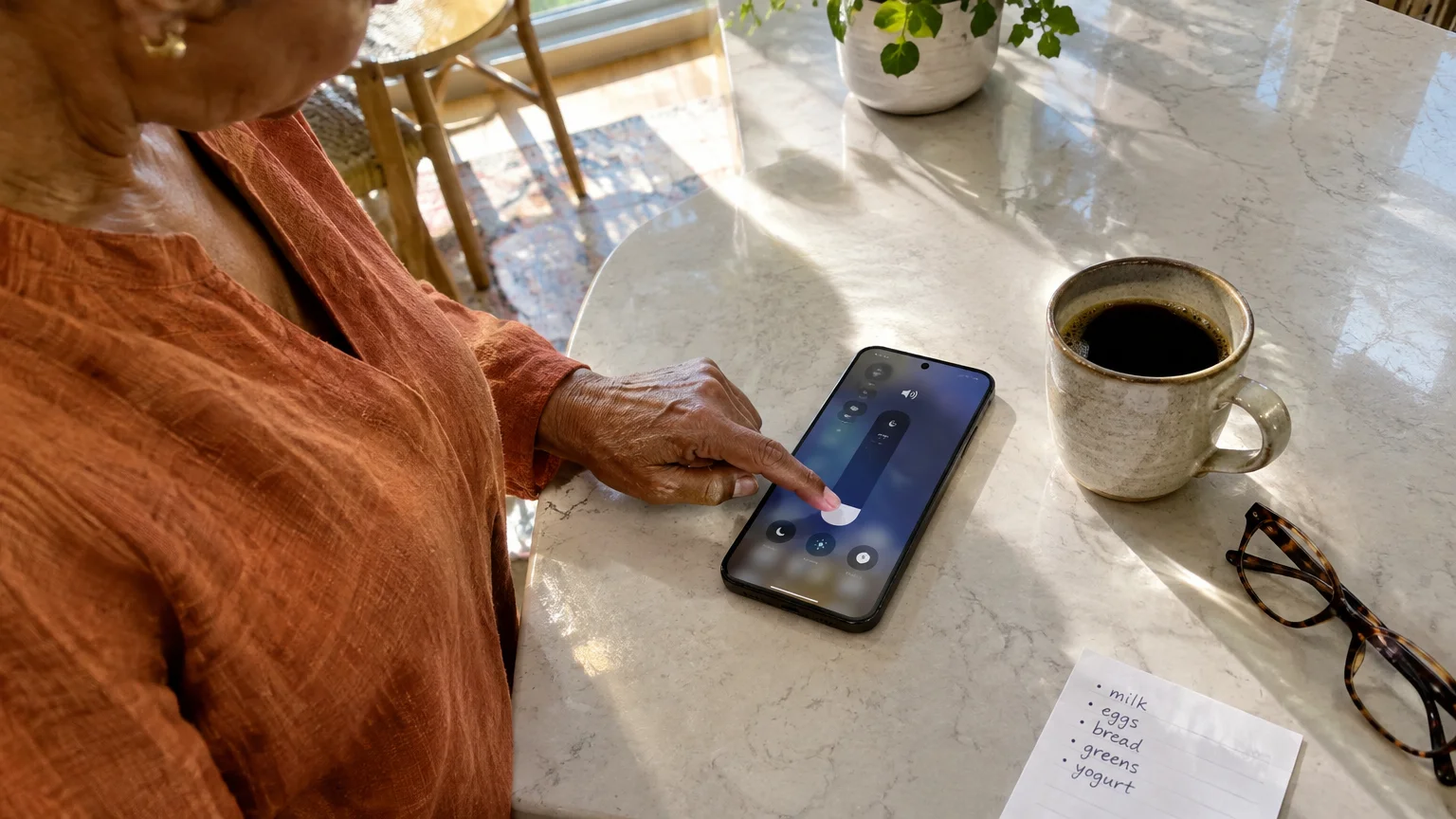
To silence game ads on your phone, you must lower the media channel specifically before launching your cards. The steps below show you how to manage this on both major operating systems.
If you use an Apple device, follow these steps to manage media audio directly from your screen:
- Swipe down from the top-right corner of your screen to open the Control Center.
- Locate the volume slider, which features a white speaker icon.
- Drag the slider downward with your finger until the white bar reaches the bottom.
- Tap an empty area of the screen to close the Control Center.
For additional assistance with interface gestures, refer to the official Apple iPhone User Guide.
If you encounter difficulty seeing the volume slider, check Apple’s accessibility features for iPhone to enable display magnification or larger screen controls.
On an Android phone, button controls can adjust either calls or media depending on your software settings. Complete this sequence to ensure media stays muted:
- Press either physical volume button on the side of your handset once.
- Tap the Three Dots icon that appears beside or beneath the pop-up volume slider.
- Locate the slider labeled Media.
- Drag the Media slider completely to the left until it indicates zero sound.
You can find platform-specific system variations outlined on Google’s Android Help center.
If reaching physical buttons causes hand strain, consult Google’s Android accessibility overview to set up on-screen accessibility menus that control audio levels with a single tap.

The Airplane Mode Trick: Benefits and Trade-Offs
Because traditional Klondike or Spider solitaire runs entirely through local code on your phone, the card mechanics do not require an active internet connection to function.
If you are tempted to use airplane mode just to avoid disruptive telemarketers during game time, learning how to block unwanted calls on your smartphone stops spam while keeping urgent lines open.
If you ever forget to turn off offline mode and discover your phone isn’t ringing when family members call, switching your wireless toggles back on will promptly restore service.
When you switch your phone to airplane mode, you sever all wireless communication. The game cannot connect to commercial ad servers, which stops video downloads completely.
Turn on this setting using the following steps:
- Open your device’s Settings app.
- Locate the option labeled Airplane Mode or Aeroplane Mode near the top of the menu.
- Tap the toggle switch beside Airplane Mode so it displays the active green or blue state.
- Verify that an airplane symbol replaces your cellular reception bars at the top of the screen.
Before relying on this method, you must understand a critical safety compromise: airplane mode shuts off all cellular reception, Wi-Fi connections, and incoming text messages.
Consider a practical scenario. Imagine you arrive 25 minutes early for a 2:00 PM appointment, and the receptionist plans to text your mobile device when an exam room clears.
If your phone stays in airplane mode while you play cards, that text message will fail to arrive. You risk missing your scheduled appointment slot entirely.
Furthermore, some newer free-to-play card applications run background code that checks for connectivity. If no network responds, these apps display an error screen and lock the deck entirely.
Offline toggling works well as a temporary fix, but it creates unnecessary hazards when you need to stay available for medical staff, relatives, or emergency contacts.

Comparing Paid Solitaire Games Without Video Ads
The cleanest way to block ads in a solitaire app is replacing ad-supported software with genuine ad-free releases. You can pick between one-time standalone downloads, dedicated subscriptions, and curated gaming bundles.
If you prefer playing cards on a desktop monitor rather than a small phone, understanding how to adjust your computer’s volume and sound settings gives you complete control over unexpected audio blasts on a PC.
The table below outlines verified options, their exact costs as of 2026, and how they handle offline card play:
| App or Service Name | Cost Structure (as of 2026) | Commercial Status | Offline Play Support |
|---|---|---|---|
| MobilityWare Solitaire (Paid Edition) | $4.99 one-time purchase | Zero ads permanently | Full offline play supported |
| MobilityWare Solitaire (Free App Subscription) | $1.99 per month or $9.99 per year | Zero ads while active | Full offline play supported |
| Microsoft Solitaire Collection Premium | $1.99 per month or $9.99 per year | Zero video ads; coin bonuses | Supported for basic game modes |
| Apple Arcade (Solitaire by MobilityWare+) | $6.99 per month bundle | Zero ads or pop-ups | Full offline play supported |
| Netflix Games (Solitaire) | Included with Netflix (from $8.99 per month) | Zero ads or upcharges | Full offline play supported |
| Google Play Pass | $4.99 per month or $29.99 per year | Removes ads across titles | Full offline play supported |
Notice the massive price divergence over time. A yearly subscription to Microsoft Solitaire Collection costs $9.99 every twelve months, whereas MobilityWare’s standalone paid app costs $4.99 once.
Over a three-year span, paying a $9.99 yearly subscription to quiet your card games costs $29.97. In contrast, the standalone $4.99 purchase never bills you a second time.
If you already pay for a standard Netflix plan to watch movies at home, you already possess access to their commercial-free solitaire game on iOS and Android at zero extra charge.

How to Install a Clean, Ad-Free Solitaire App
Before purchasing an app, verify that you know your Apple Account or Google Account password. Paid downloads bill directly to the payment card linked to your device’s primary store profile.
If you frequently keep your tablet muted for peaceful card games and misplace it around the house, discovering how to ring a silent iPad will help you track it down in seconds.
Follow these steps to find and install the standalone paid release of MobilityWare Solitaire on an iPhone or iPad:
- Tap the App Store icon on your home screen.
- Tap the Search tab in the bottom-right corner of the display.
- Type Solitaire by MobilityWare into the search field and press Search on your keyboard.
- Locate the standalone paid entry (it displays a direct price rather than a Get label).
- Tap the button displaying $4.99.
- Confirm your purchase by double-clicking the physical side button or entering your account passcode.
If you are an Android user with an active Netflix streaming membership, install your included card game with this procedure:
- Open the Google Play Store app on your device.
- Tap the search bar at the top of the screen and type Netflix Solitaire.
- Tap the search result showing Netflix, Inc. as the verified developer.
- Tap the green button labeled Install.
- Open the game once download completes, then tap Sign In using your existing household Netflix email address and password.
Once you install a verified ad-free title, delete your old ad-heavy game. Press and hold its screen icon, select Remove App or Uninstall, and tap Delete to confirm.
Frequently Asked Questions
Can I silence game ads without muting my phone calls?
Yes. Separate media volume from ringer volume by turning down the media audio slider inside your control panel while leaving your ringtone volume raised.
Why do video ads play even when my iPhone mute switch is flipped?
The physical mute switch silences ringtones and system alerts, but mobile ad platforms route sound through the media playback channel instead. Lower your media slider manually to stop them.
Are solitaire games without video ads completely offline?
Most paid or subscription-based card games function without an active internet connection. You can play your hands in clinics, on airplanes, or in transit without interruptions.
Will airplane mode stop incoming phone calls from my doctor?
Yes. Airplane mode cuts cellular and Wi-Fi networks completely, preventing all phone calls, text alerts, and medical office notices from reaching your screen until you turn it off.
Note: Menus and button names change with software updates. These steps were written for current versions as of 2026; if a screen looks different on your device, the maker’s support page linked above has the latest wording.
ClearTechGuide is independent and is not affiliated with Apple, Google, Microsoft, Amazon or any other company mentioned.